Skip to content
Summo

Open source · AGPL-3.0 · Runs entirely on your machine

It records the meeting,
then writes it up for you.

Summo listens through the microphone and speakers you already have, takes down who said what, and writes a summary once the meeting ends. You do not have to invite anything to the call, and you do not have to type while you talk.
  • macOS (Apple Silicon)
  • Windows
  • Linux
  • Android (soon)

No account. No cap on meetings.

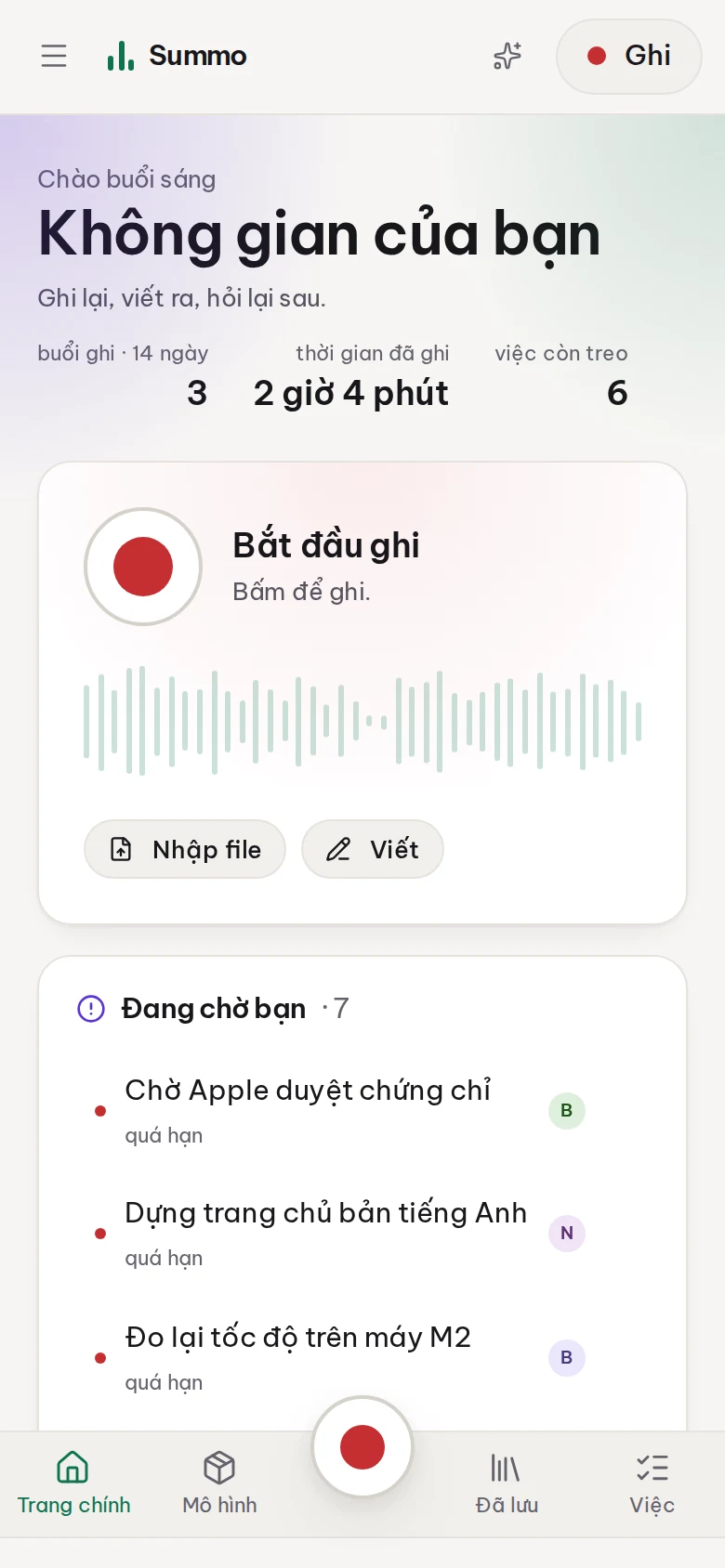
Summo's home screen: the record card, what is waiting, and recent entries.

A day with Summo

Three steps, none of which is signing in.

  1. 01

    Press record

    A global shortcut, under a second. Microphone, system audio, or both — captured on your own machine, so the participant list gains nothing.

  2. 02

    The notes are there when the meeting ends

    Transcription and speaker attribution run on your machine while you talk. The summary and the tasks are drawn out when you press stop.

  3. 03

    Ask about it later

    Three months on, ask what Ngọc said about the budget — and get the line, the minute, and the meeting it was in.

Three principles, none of them negotiable

Every engineering decision in Summo follows from these.

Recognition and diarisation are always local

There is no cloud-ASR fallback. On a slow machine Summo suggests a smaller model rather than uploading your audio. Only summarising and answering questions reach outside — and to an endpoint you choose, which can be Ollama on the same laptop.

Press record and it records

A global shortcut, under a second, no questions. Summarising happens after the meeting, because that is when you want it.

Your data is your files

Each meeting is one Markdown file: open it in Obsidian, grep it, sync it with whatever you already use. No database, no proprietary format, no export to request.

Four screens worth a longer look

Not a feature list. These are the four you will have open most.

One shelf, not a meeting inbox

Recordings and typed notes live together, because they are the same kind of document. Filter by folder, tag, colour — or by kind.

A timestamped transcript, and an assistant that cites it

Every line knows which second of the recording it came from, and plays from there. Every answer says where it got it.

Tasks taken straight from what was said

Who owns it, when it is due, which sentence it came from — all inside that meeting's Markdown file, not in a database of its own.

You decide what is kept, and for how long

Audio is the largest thing here and the most sensitive. So there is a screen that says plainly what it costs, and a box for when to delete it.

See each one in full, with screenshots →